Demo Strategy
March 18, 2026
How to Run a Software Demo
A simple guide for tech founders and presales teams who want to run software demos that work.
Software Demo != Product Tour
Most people treat a software demo like a product tour. They click through endless screens, showcase every feature, and assume the audience will automatically see enormous value and fall in love with the product. In reality, the opposite often happens.
The audience becomes overwhelmed. Instead of thinking, “This is exactly what we need,” they start thinking:
“We probably wouldn’t use that.” “This seems more complicated than our current process.” “Does the presenter actually understand our business?” Or worse: “That feature wouldn’t even work for us because our process is different.”
As the feature overload grows, attention drops. Questions start pulling the demo off track. Stakeholders lose the core message. Momentum disappears, and deals stall.
The real skill in a software demo is not showing everything. It is knowing how to guide the audience through a focused story — one that connects directly to their problems, priorities, and desired outcomes. Great demos are not feature dumps. They are carefully guided experiences.
What this really means
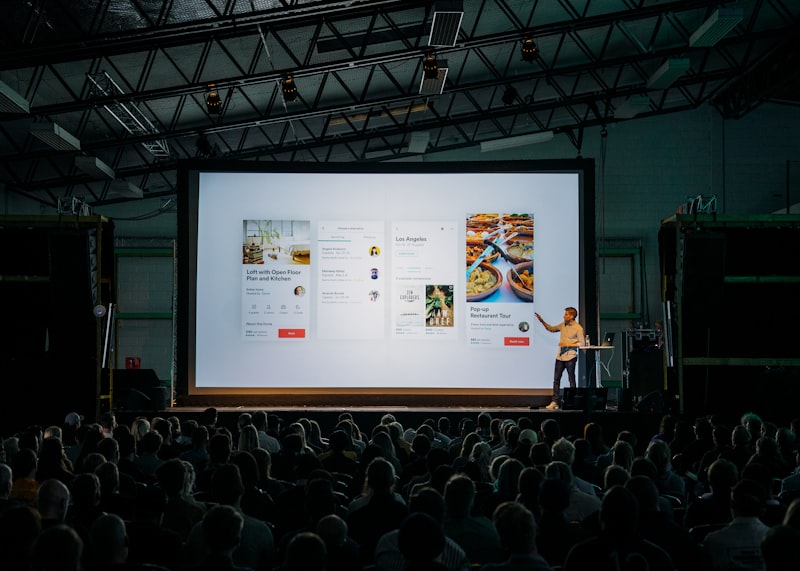
Running a software demo well means you control the story. You decide what the buyer sees, in what order, and why. You connect each click to something they care about. The demo is not a quick tour. It is a time to show that your product works for their specific problem.
When you run a software demo poorly, whoever speaks first takes over the room. When you run it well, you keep things moving, answer their concerns as you go, and leave with a clear next step.
Simple frameworks can help you stay on track. Tell-Show-Tell is one of the best: first you tell them what they are about to see and why it matters, then you show it, then you tell them again what they just saw and what it means for them. Another is Problem-Solution-Proof: state the problem, show how your product solves it, then prove it with a real example or data. These patterns keep you from drifting into a feature tour and keep the buyer focused on outcomes.
Step-by-step breakdown
1. Define success in one sentence before the call
Write down: "By the end of this demo, the buyer will believe that [outcome]." If you cannot finish that sentence, you are not ready. Your whole flow should support that one idea. For example: "By the end of this demo, the buyer will believe that our tool can cut their approval time from 5 days to 1 day."
2. Open with their problem, not your product
Spend the first 2–3 minutes on their world. What is broken? What are they trying to fix? What does "good" look like? Only then introduce the product as the way to get from where they are now to where they want to be.
3. Set the agenda out loud
Say something like: "Here is how we will spend the next 30 minutes: context, main workflow, proof, and next steps." People relax when they know where they are. If you skip this, the room feels lost.
Most demo mistakes are predictable. Run the checklist before your next customer call.
Generate my checklist4. Show one scenario from start to finish
Pick one realistic path through the product. Do not branch. Do not add "while we are here" detours. One path, one outcome. If they want to go deeper, write it down and come back to it later.
5. Connect each click to a business outcome
Every screen change needs a clear line. "This removes the manual handoff." "This flags risk earlier." "This shortens approval cycles." Features without outcomes feel like noise.
6. Close with a recommendation
End with a clear next step. For example: a working session, a pilot, a technical test, or a talk about pricing. Do not end on "any questions?" without proposing what happens next.
Real-world example
Imagine you are demoing a workflow automation tool to a mid-market ops team. The buyer cares about reducing manual handoffs and seeing where things get stuck.
Wrong approach: Start with the dashboard, show 12 features, then switch when someone asks about integrations. The room leaves unsure what they saw or why it matters.
Right approach: Open with "You have too many handoffs between intake and execution. We will show how one flow removes that problem and gives you a live view of where things slow down." Then show intake, then automation, then execution, then visibility, in that order, with one customer scenario. End with: "Next step: we run this against your real process in a 90-minute working session."
Common mistakes to avoid
- Starting with the product instead of the buyer's context
- Showing every feature "in case they ask"
- Skipping the agenda so the room does not know where they are
- Letting questions take you off track instead of saving them for later
- Ending without a clear recommendation or next step
- Using a messy demo environment (personal tabs, fake data, broken integrations)
Pro tips (the secret sauce)
Practice your transitions out loud. The jump from section A to section B is where demos fall apart. Write and practice the bridge: "Now that we have seen intake, here is how execution works."
Set a time limit for each section. Know how long each part should take. If you run over, show less, but keep it clear.
Keep a list of questions for later. When someone asks an off-topic question, acknowledge it, write it down, and continue. "Good question. I will come back to that. For now, let us finish this flow."
Use their words. If they say "approval cycle," you say "approval cycle." If they say "bottleneck," you say "bottleneck." Using the same words builds trust.
Prepare your environment. One tab, clean data, tested integrations. Nothing slows you down more than a loading screen or a broken link.
Apply this in your next demo
Structure turns a software demo from a gamble into something you can repeat. The steps above work for discovery calls, technical deep dives, and executive reviews. You just adjust how deep you go and what proof you show. The main story stays the same.
For the close and what happens after the call—not just “any questions?”—see asking for the sale after a demo.
If you want a structured way to apply this, use our Demo Checklist Generator.
Your demo isn’t converting.Get a Demo Audit.
We’ll review your live demo or product video and show you exactly what’s losing your audience — and how to fix it.
Built for real demos, not generic advice.
Pinpoint the problems
We find the exact moments where your demo loses momentum.
Get specific fixes
Clear, practical recommendations you can apply right away.
Drive more yes
A better demo experience that leads to more conversions.
Tags
Want to run better demos?
Get practical frameworks and tools used by presales teams.
Get the ChecklistContinue learning:
Related Articles
Demo Strategy • May 20, 2026
Asking for the Sale After a Demo
Great demos but zero sales? First-person lessons on change resistance, wrong personas, earning next steps—not applause—and asking for the sale without ghosting.
Demo Strategy • March 29, 2026
Demo Flow Example (From Start to Finish)
Demo flow example: walk a real software demo from hello to next step—then steal three flow patterns, Tell–Show–Tell beats, and a fill-in outline for your next presales call.
Demo Strategy • March 29, 2026
Demo Structure: Simple 5-Step Framework
A simple, repeatable structure for running clear, focused demos—plus links to go deeper when you need it.