
Demo Strategy
March 29, 2026
Demo Flow Example (From Start to Finish)
Demo flow example: walk a real software demo from hello to next step—then steal three flow patterns, Tell–Show–Tell beats, and a fill-in outline for your next presales call.
This is not theory—and not a demo framework lecture. It is one demo flow, start to finish, with lines you can steal.
Scenario: you sell workflow software. The buyer is a VP of Operations plus two team leads. Thirty minutes on the calendar. Goal: they believe you can cut approval cycle time without more meetings.
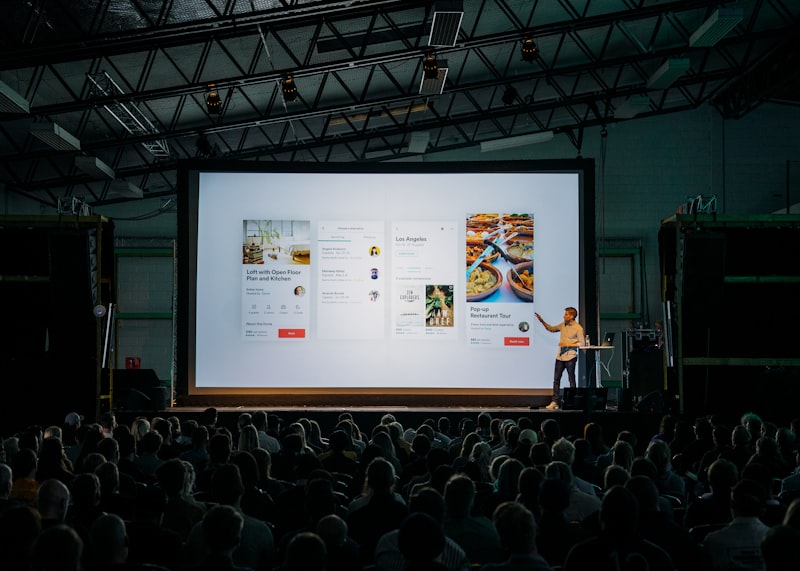
The shape matches a structured demo you would build from How to Structure a Presales Demo (That Actually Moves the Deal Forward). For the five-step map in one place first, see Demo structure—here you just watch one flow on the clock.
Minute 0–2: Anchor
You say: “Thanks for making time. My goal today is simple: you should leave believing we can shorten your approval cycle without adding headcount. I will show one approval path end to end, then we will talk what a pilot could look like.”
You show: nothing yet. Maybe a title slide or a blank screen. Eye contact wins. If the room feels scattered before you click, the fix is usually not more slides—it is attention control in the opening minute.
Minute 2–6: Context
You say: “From discovery, approvals bounce between email and the ERP when POs are over $10K. Does that still match how you work?”
You listen. You mirror their words back once.
You show: still no deep product. Maybe a one-line diagram or their words on a slide. You are locking the demo structure to their workflow before a single login.
Minute 6–22: Walkthrough (single thread)
You say before the first click: “I am going to follow one PO over $10K—from submit to finance sign-off.”
You show:
- Submit request as a team lead (they recognize the fields).
- Route to manager: comment, approve, timestamp.
- Exception: what happens when someone is out—one clear rule, not every edge case.
- Finance view: what they see so they stop asking for exports.
After each chunk you say one line: “So far, the thread stayed in one system—that was the goal.”
You do not open reporting “real quick.” You do not show mobile “while we are here.” You stay on the thread.
Minute 22–26: Proof
You say: “Two things that usually come up: volume and audit.”
Most demo mistakes are predictable. Run the checklist before your next customer call.
Generate my checklistYou show: one screen or number that fits this story—e.g. average time-to-approve for a similar customer, or audit trail on the approval you just walked. Thirty seconds of depth, not a new tour.
Minute 26–30: Close
You say: “Recap: you saw one path, exceptions, and what finance sees. Recommended next step: a working session with one real PO type so your team clicks it. I will send three times—who should be in the room?”
You show: calendar or next-step slide—whatever your process is.
Common mistakes in this kind of run
- Starting with the login page — You wasted the first impression on chrome, not outcome.
- Answering every tangent live — Park nice-to-haves; protect the single demo flow.
- Ending on features — You want them repeating the outcome, not the menu names.
Conclusion
That is one complete pass: anchor, context, walkthrough, proof, close—no jargon, just sequence.
If your openings keep feeling mushy, tighten the first two minutes with How to start a demo so people pay attention.
If the flow landed but nothing happened after the call, read asking for the sale after a demo.
If you want a structured way to apply this, use our Demo Checklist Generator.
Build Your Own Demo Flow (Simple Framework)
You already watched one approval story minute by minute. When you build your own run of show, you are choosing an ordered path through the product, not the order of the menu. A usable flow usually looks like this:
- One thread. One persona, one job-to-be-done, one outcome. Branching “while we’re here” is how flows break.
- Outcome per beat. After each chunk, say what changed for the buyer before you advance.
- Proof last. Build belief with the walkthrough first; then add the evidence that makes it stick.
Below are three patterns you can copy, a Tell–Show–Tell rhythm you can repeat on every beat, and a short outline you can fill in before your next call.
1. 3 Simple Demo Flow Patterns
Pattern 1: Operations / intake-to-execution
Buyer lens: mid-market ops leader tired of email chains.
- Intake — Show how a request lands in one place (tell the bottleneck, show the form or trigger, recap: no more lost threads).
- Routing — Show rules or queues that assign work (tell why it matters, show configuration or auto-route, recap: fewer manual handoffs).
- Execution — Complete one unit of work in the UI (tell the outcome, show the screen flow, recap: time-to-done).
- Visibility — Dashboard or timeline for status (tell what managers need, show the view, recap: where things stall).
- Exception — One edge case (tell when things break today, show how you catch it, recap: risk down).
Pattern 2: Analytics / metric-to-decision
Buyer lens: RevOps or finance stakeholder who lives in spreadsheets.
- Sources — Connect the data they care about (tell distrust of manual exports, show connector or import, recap: single source).
- Definition — Define one KPI in the product (tell ambiguity today, show metric builder, recap: shared definition).
- Slice — Break down by team, region, or cohort (tell the question they ask weekly, show drill, recap: answer in seconds).
- Alert — Threshold or anomaly (tell late discovery, show alert rule, recap: proactive).
- Export / embed — How it lands in their workflow (tell board decks, show export or embed, recap: no duplicate work).
Pattern 3: Team collaboration / shared workspace
Buyer lens: functional lead rolling out a new way of working.
- Space — Create or open the team workspace (tell scattered docs, show structure, recap: one home).
- Permissions — Who sees what (tell compliance worry, show roles, recap: safe sharing).
- Live work — Co-edit or comment flow (tell version chaos, show real-time or review, recap: single current copy).
- Handoff — Task or approval to another role (tell dropped balls, show assignment, recap: clear owner).
- History — Audit or version trail (tell “who changed what,” show history, recap: accountability).
Replace product names and labels with yours. Keep the sequence—it is the story, not the feature list.
2. The Tell–Show–Tell Flow (Quick Template)
On each beat, you do three things in order:
- Tell — Say what they are about to see and why it matters in their words (outcome, risk, or job-to-be-done).
- Show — Demonstrate that slice in the product—one click path, no detours.
- Tell (recap) — One line: what changed for them, so the room stays oriented before you advance.
Repeat that loop for every step in the pattern you chose. That is how you keep a long walkthrough feeling like one story instead of six mini-presentations.
3. Quick Fill-In Demo Flow Outline
Copy this and complete it before you go live:
- Opening (context + hook):
- Problem setup:
- First workflow:
- Key insight:
- Second workflow:
- Wrap + outcome:
Pick the pattern above that fits your buyer (operations, analytics, or collaboration), plug your product name and their top priority into each beat, and run Tell–Show–Tell on every row. If the first two minutes still feel soft, go back to How to start a demo so people pay attention—the flow only works if the opening earns the room.
Your demo isn’t converting.Get a Demo Audit.
We’ll review your live demo or product video and show you exactly what’s losing your audience — and how to fix it.
Built for real demos, not generic advice.
Pinpoint the problems
We find the exact moments where your demo loses momentum.
Get specific fixes
Clear, practical recommendations you can apply right away.
Drive more yes
A better demo experience that leads to more conversions.
Tags
Want to run better demos?
Get practical frameworks and tools used by presales teams.
Get the ChecklistContinue learning:
Related Articles
Demo Strategy • March 29, 2026
Demo Structure: Simple 5-Step Framework
A simple, repeatable structure for running clear, focused demos—plus links to go deeper when you need it.
Demo Strategy • March 29, 2026
How to Transition Between Sections in a Demo
Phrases and habits that keep your demo flowing between sections—so the room feels one story, not six mini-presentations.
Demo Strategy • March 29, 2026
How to End a Demo Without Losing Momentum
Finish your demo strong: show why it matters, repeat the key messages you started with, and be clear on what happens next — don’t just stop and ask 'any questions?'