

Draw on the page. Direct the room.
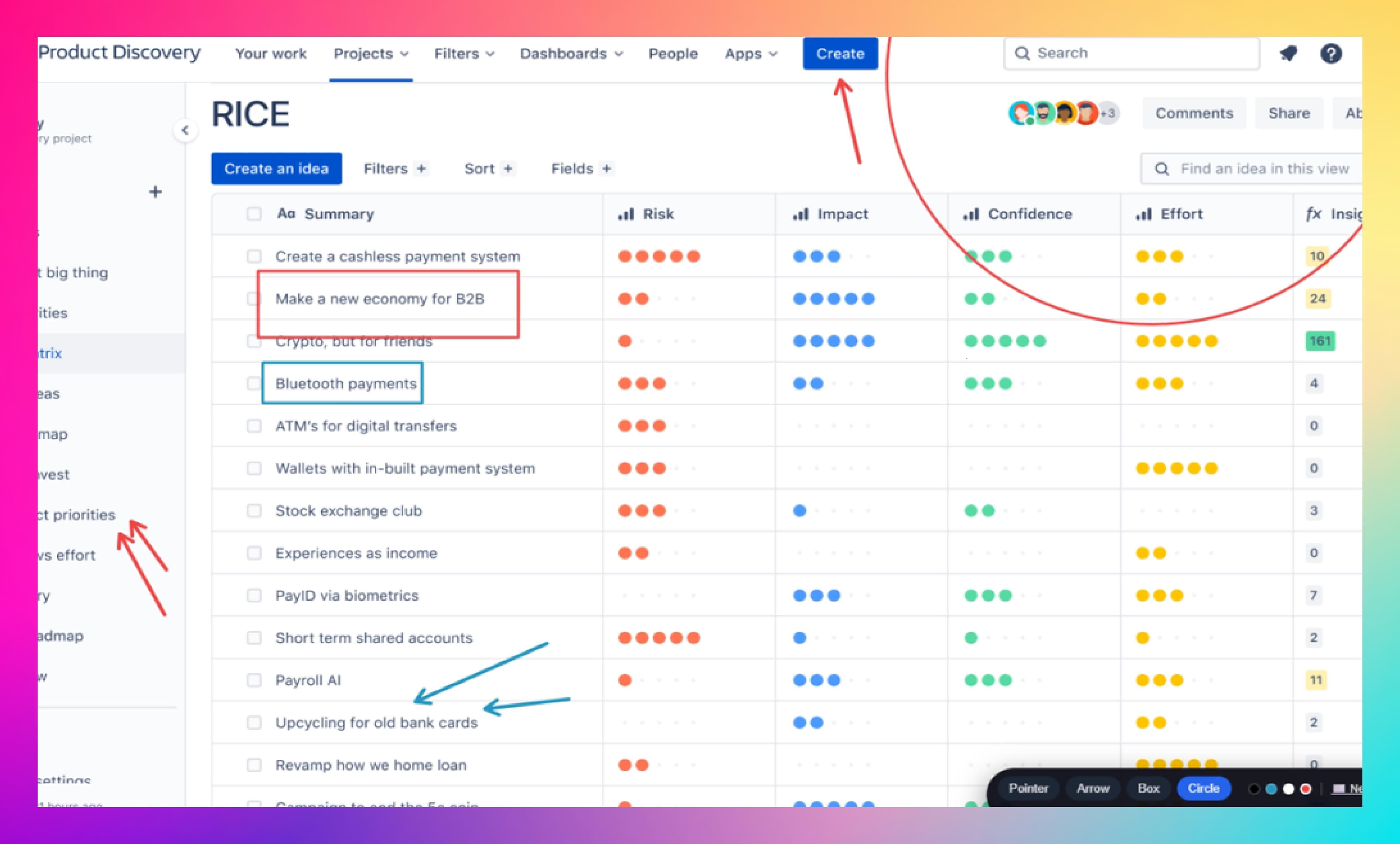
Demo Marker is a Chrome extension for marking up web pages live during demos — arrows, boxes, and highlights so the audience always knows where to look.
Free. No account required. Built for live demo conditions.

What it does
Draw on any web page
Arrows, boxes, circles, and freehand — annotate live during a demo without leaving the page or switching apps.
Direct attention instantly
Point exactly to the field, button, or chart that matters. The room stops guessing and follows your story.
Stays out of your way
One toggle on, one toggle off. No screenshots, no overlays to manage, no broken flow when a question lands.
Built for demo conditions
Designed for the moment you are sharing your screen, talking, and watching the room — not for offline diagramming.
Install in 30 seconds
Step 1
Open the Chrome Web Store listing
Visit the Demo Marker page in the Chrome Web Store.
Step 2
Click “Add to Chrome”
Confirm the prompt to install the extension.
Step 3
Pin it to your toolbar
Click the puzzle icon in Chrome, then pin Demo Marker so you can toggle it instantly during a demo.
How to use it in a demo
Step 1
Open the page you want to demo
Navigate to the screen you will share — your product, a dashboard, a sandbox.
Step 2
Click the Demo Marker icon
Activate the overlay. The current tab becomes drawable.
Step 3
Draw to direct attention
Use arrows, boxes, and highlights to point to exactly what matters as you talk.
Step 4
Toggle off to keep clicking
Turn the overlay off when you need to interact with the page again. Your annotations clear.
Keyboard shortcuts
When Demo Marker is active, use these keys to switch tools and stay in flow — no need to hunt the floating toolbar mid-sentence.
- AArrow tool
- BBox tool
- CCircle tool
- PExit drawing mode
- HHide or show the toolbar
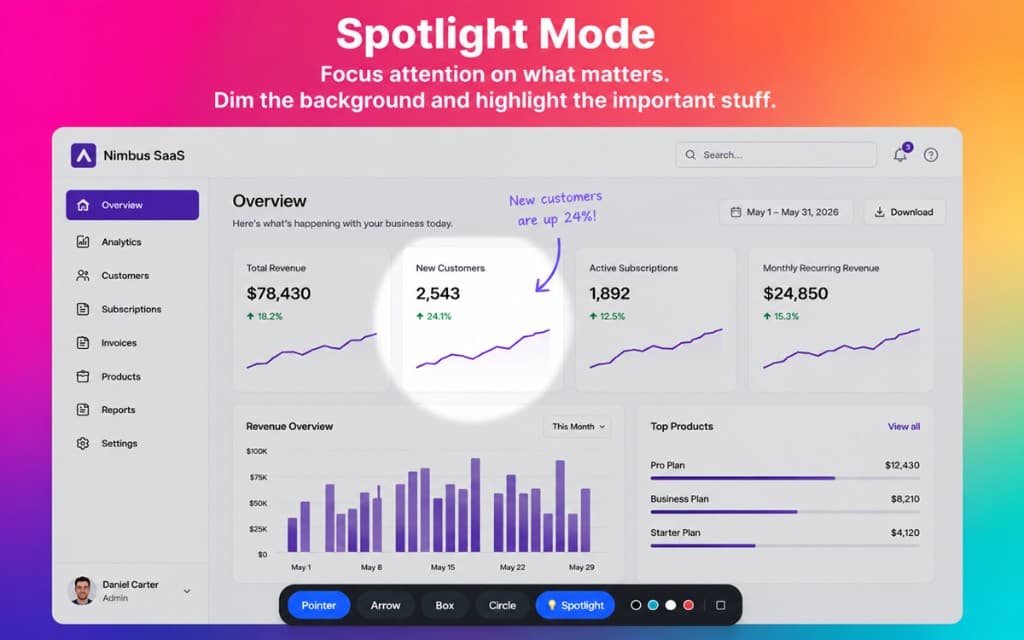
- SSpotlight mode — darken everything except a circular area around your cursor
- Delete / BackspaceClear all annotations
FAQ
Is Demo Marker free?
Yes. Demo Marker is free to install from the Chrome Web Store.
Which browsers are supported?
Demo Marker is a Chrome extension and works in Google Chrome and other Chromium-based browsers (such as Edge and Brave) that support Chrome Web Store extensions.
Does it work over Zoom, Google Meet, or Teams?
Yes. Demo Marker draws on top of the web page in your browser. When you share that browser tab or window in any video call, the room sees your annotations live.
Will my annotations be saved?
No. Annotations are meant to disappear when you toggle the overlay off — Demo Marker is built for the live moment, not for persistent diagramming.
Does it work on every site?
Demo Marker works on the vast majority of regular web pages. A few protected pages (like the Chrome Web Store itself or chrome:// internal pages) block all extensions — that is a Chrome restriction, not a Demo Marker limitation.
How do I uninstall it?
Right-click the Demo Marker icon in your Chrome toolbar and choose “Remove from Chrome”, or open chrome://extensions and remove it from there.
Support
Need help with Demo Marker?
We read every message. Email us with a question, a feature request, or a bug report and we'll get back to you.
General support
hello@demosecret.com
Questions, setup help, feature requests, or anything else.
Send a message →
Report a bug
Pre-filled bug report
Opens an email with the details we need to reproduce and fix the issue quickly.
Report a bug →
Quick troubleshooting
- Nothing happens when I click the icon. Reload the page (the extension can't inject into a tab that was open before it was installed), then try again.
- It doesn't work on a specific page. Chrome blocks all extensions on a few protected pages (such as the Chrome Web Store and
chrome://internal pages). Try the same actions on a regular page to confirm. - My drawings appear behind the page content. Toggle the overlay off and on again, or refresh the page. Some sites repaint heavily and need a moment to settle.
- I can't click through after using it. Make sure the overlay is toggled off — you can't interact with the page while you're drawing.
Privacy
Demo Marker runs locally in your browser. Your annotations are not stored after you toggle the overlay off, and the extension does not collect, sell, or share your personal data. For the official permissions list, see the Chrome Web Store listing.
Useful links
Stop wrestling with the mouse mid-demo.
Install Demo Marker, pin it to your toolbar, and direct the room with one click.